
Name-Based Hardeman Case Searches
No single public Hardeman County portal searches party names everywhere. It cannot reach every district, county, justice, and municipal court at once. So begin with the court itself. Start with the combined District Clerk and County Clerk for the 46th Judicial District Court and the constitutional County Court. Each office keeps its own lower-court records. Justice of the Peace Countywide and the municipal courts in Quanah and Chillicothe hold those cases themselves. The re:SearchTX portal adds a statewide layer. Access depends on your role and on which courts feed the system.
Share as little personal data as you can when you ask. A name, a rough filing year, the court, and the case category usually get a sound request moving. Texas Rule of Civil Procedure 21c also requires redaction. It applies to sensitive details in covered filings. That covers full birth dates, account numbers, government identification numbers, and home addresses.
- Choose the district, county, JP, or municipal court that likely filed the case.
- Search re:SearchTX when its public role provides access, using the name and available court filters.
- If the result is unclear, call the proper clerk with the spelling, year, and case type.
- Record the cause number and ask the clerk to confirm the latest docket status or setting.
Choose the Hardeman Court First
A Hardeman County docket search can come up empty even when the case is real. The request simply went to the wrong office. Deborah Akers runs the combined District Clerk and County Clerk. Her office holds the district cases and constitutional County Court matters, from criminal and civil to juvenile, probate, and mental-health. The state clerk inventory lists those files. Keep in mind that an inventory listing does not put every file online.
| Case source | Custodian | Best first route |
|---|---|---|
| 46th District Court | District Clerk | Combined clerk or re:SearchTX |
| Constitutional County Court | County Clerk | Combined clerk or re:SearchTX |
| Justice Court | Justice of the Peace Countywide | JP office |
| City citation | Quanah or Chillicothe Municipal Court | Issuing city court |
Hardeman Case Number Searches
Nothing beats an exact cause number for pulling up a case record. Copy every letter, punctuation mark, and leading zero exactly as the court shows them. Hardeman County has not published one universal case-number format. No safe sample can be offered here. A cause number like [exact court-assigned number] has to come from a real source. Think of a notice, a filed paper, a receipt, or the clerk herself.
Never swap an eDoc instrument number for a court cause number. An instrument number may index a deed, a lien, or another recorded item. It proves nothing about a case event. Have no docket number at all? Texas Government Code section 51.318 lists a $5 district-clerk search category. Ask the combined clerk whether that fee applies. Do it before you order, since the local method and final charge have not been published.
Hardeman eDoc Search Limits
The county clerk points users to Hardeman County Public Records in eDoc for online records. Those records date from October 31, 2006 forward. The service advertises account access, document searches, copy purchases, and instant downloads. Order history and a 30-day download window are included too. Deeds, mortgages, liens, property documents, and vital records take center stage. Other official records fill out its public description.
None of that makes eDoc a full case-event docket. It is no court calendar, civil docket, or criminal docket. Check the record type before you pay. When a hearing, docket entry, or case status is missing, the combined clerk is still the direct source. Older records remain in the books at her office. The official clerk page lists the local cutoff and how to make contact.
Hardeman Search Results Explained
A public result can point you to a case. It may still hide most of the file. re:SearchTX documentation describes four modes: Cases, Filings, Text, and Hearings. A case description opens the details. Filing or hearing links show more when your role and the source court allow it. Export and saved-search tools are documented too. Hardeman County works under limited integration. Gaps in the details call for a word with the clerk.
| Cause number | The court-assigned identifier; preserve its exact form. |
|---|---|
| Case style | The caption and the public party roles shown by the court. |
| Case category | Criminal, civil, family, probate, traffic, or another court label. |
| Filing entry | A paper or event accepted by the clerk, not necessarily a ruling. |
| Hearing | A scheduled event that may later be reset, passed, or canceled. |
| Disposition | The recorded outcome; confirm shorthand against the signed order or judgment. |
re:SearchTX for Hardeman Cases
The official re:SearchTX quick guide walks through the statewide system. It covers the search bar, left-side filters, case and filing details, the hearing dialog, saved searches, and export controls. Signing in takes eFileTexas credentials, or you can register. Public access is limited. Attorneys, clerks, and judges see more.
The portal shines when the court is uncertain. It also helps when a filing may cross county lines. It does not promise full coverage. Not every Hardeman County case, document, or hearing will show up. Some criminal materials and protected files are excluded or restricted. The originating clerk remains the authority. The source view here marks the statewide entry point for a Hardeman County docket search.
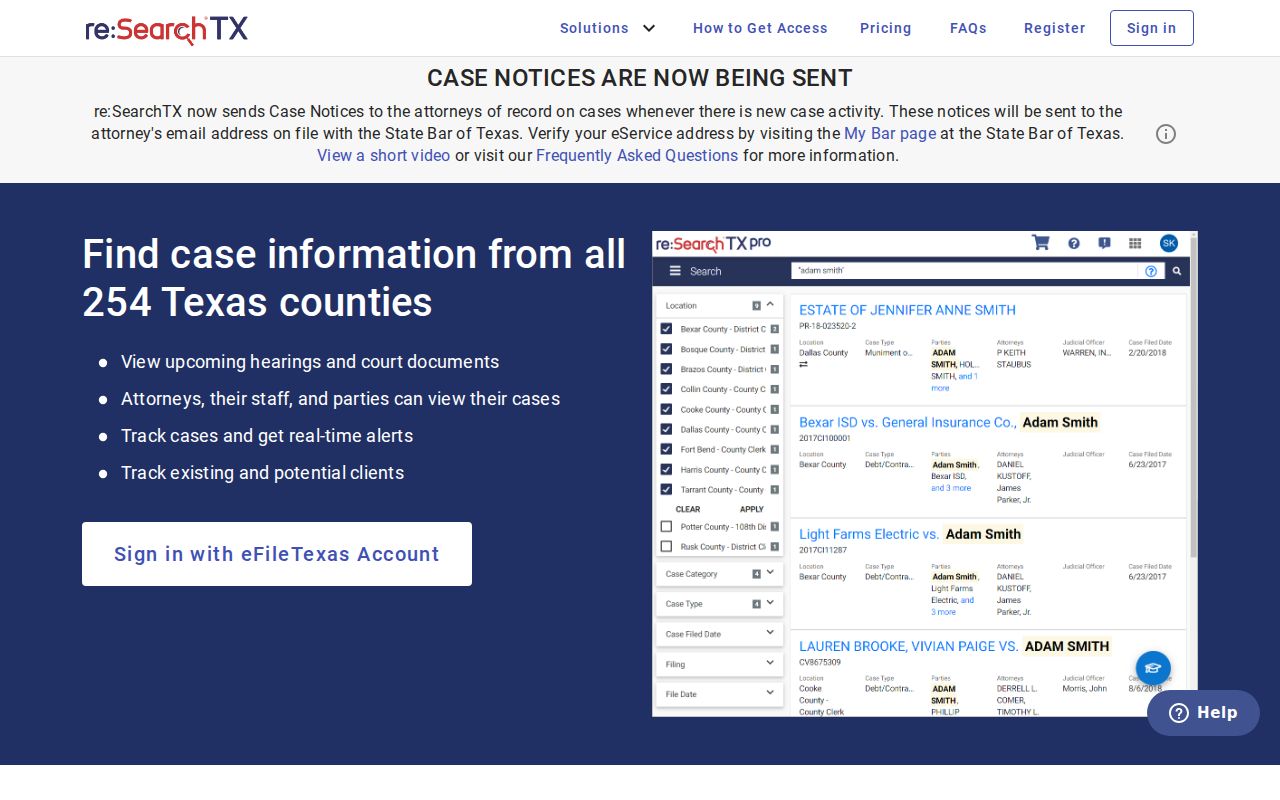
The portal view helps you spot the official Texas search service. The clerk still controls the local record.
Two Hardeman Search Routes
County and statewide tools answer different questions. A known local case should start with its own clerk. A statewide query can pull participating court data, but role limits and integration gaps may show through. Neither route replaces a call about a same-day setting.
| Point | Combined clerk and eDoc | re:SearchTX |
|---|---|---|
| Scope | Hardeman records held by the local office; eDoc scope must be checked | Participating Texas court records |
| Best use | Known local court, copies, certification, older books | Case, filing, text, or hearing cross-check |
| Main limit | No published unified case-event search | Role-based access and limited integration |
| Final check | Clerk confirms custody and current status | Originating court confirms the record |
eFileTexas Is Not Docket Search
Think of eFileTexas as a filing pipeline rather than a public search service. Its active-court information shows Hardeman district and county courts. Civil and criminal filing is mandatory there, plus mandatory probate civil filing. The legend matters here. It says searching is limited. That happens whenever the filing platform and a court's case-management system are not integrated. Even then, only the filer can look up a case, and only after acceptance. That is not docket search. Nothing on the portal confirms a later hearing or order in a Hardeman County case. Use re:SearchTX where available. Then get the official local status from the clerk.
Which Hardeman Cases Stay Restricted
A blank result is not the end of the story. It can mean a spelling problem. It can also mean the wrong court, an older book-only record, delayed data, restricted access, or simply no match. It never proves a case is absent. Several kinds of Hardeman County records get special handling. These include juvenile and child-related files, mental-health matters, adoption or guardianship material, sealed files, and sensitive documents. Rule 12 of the Texas Rules of Judicial Administration controls access to judicial records. The Texas Public Information Act covers many nonjudicial county records. Sealing falls under Texas Rule of Civil Procedure 76a. Redaction of sensitive data falls under Rule 21c. Ask the clerk which rule applies, and request the redacted public portion when one exists.
Hardeman County search access is record-specific. Public access does not require a clerk to expose confidential fields or a sealed case online.
When Hardeman Search Results Fail
Fix the name first. Strip punctuation variations and confirm you have the right court. If results still fail, switch tools instead of repeating the same query: try re:SearchTX and the proper local office. Older records need extra help. For a record dated before October 31, 2006, ask the combined clerk for a book or index search. Ticket from a city or JP court? Contact that court directly. A missing hearing is a question for the clerk or court coordinator, who can confirm the current setting. Keep a small search log: the name used, the exact cause number, court, case type, source, date checked, and latest status. Two cautions. A filing date is not a hearing date. A setting is not proof the hearing occurred. For copies behind a result, use the Hardeman County court case records process.